
Untitled procedure
Untitled procedure
1. Open Settings and select Apps

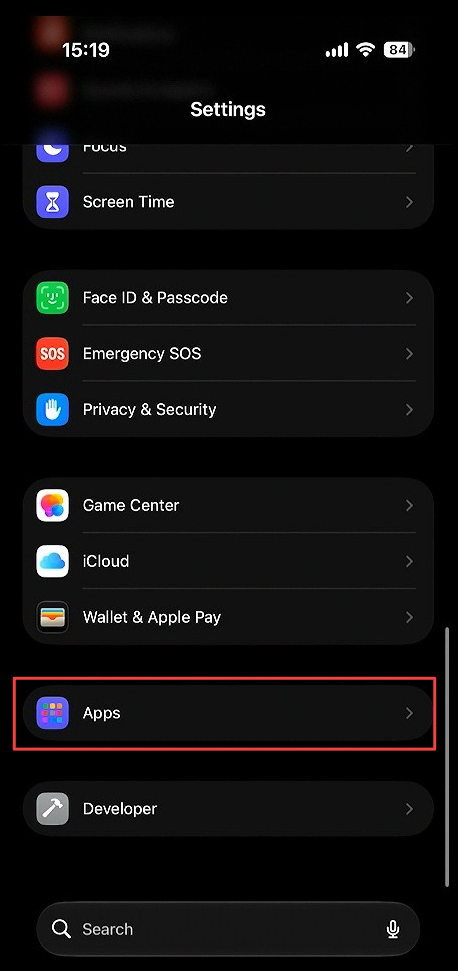
Open Settings. Scroll to the bottom and select Apps.
2. Select Mail

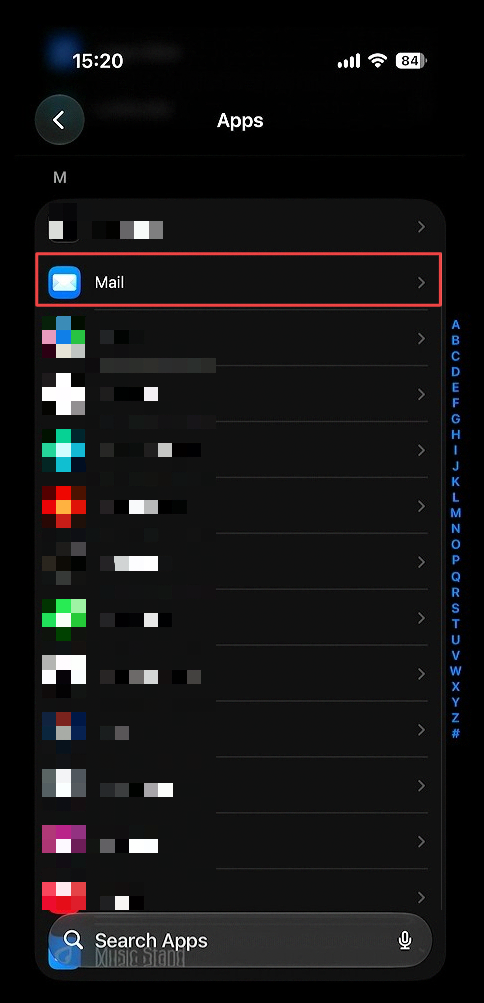
Scroll down and click Mail.
3. Selct Mail Accounts

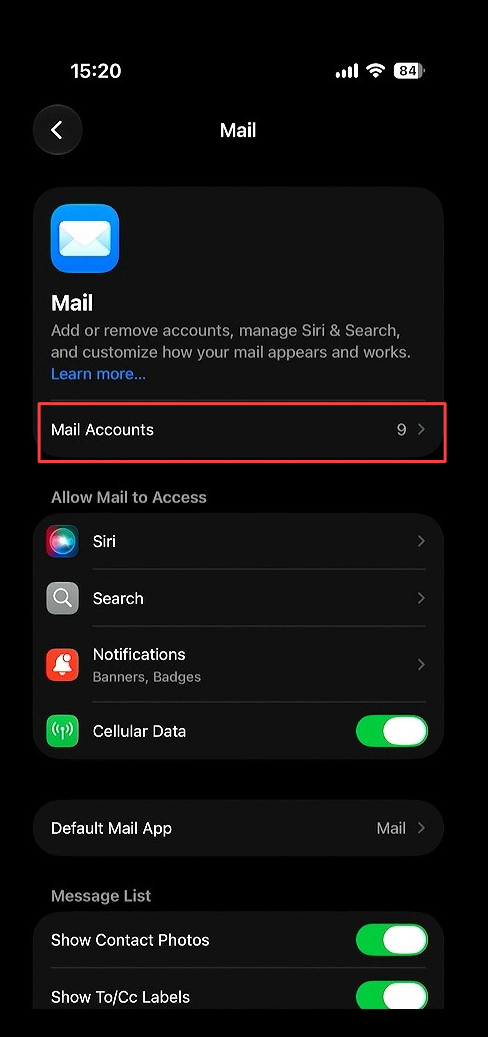
Select the mail accounts sub menu option
4. Select Add account

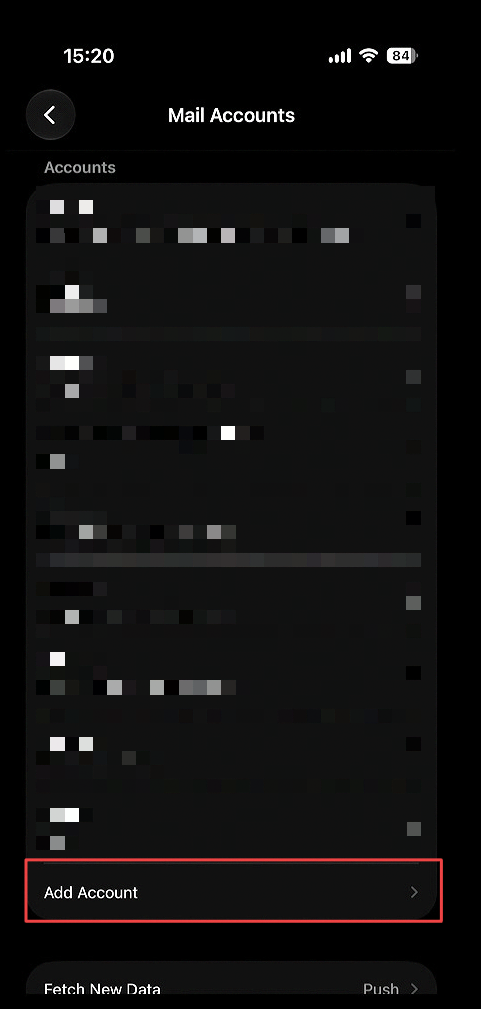
Below your already added accounts, select Add Account.
5. Enter in your ARC8 Email

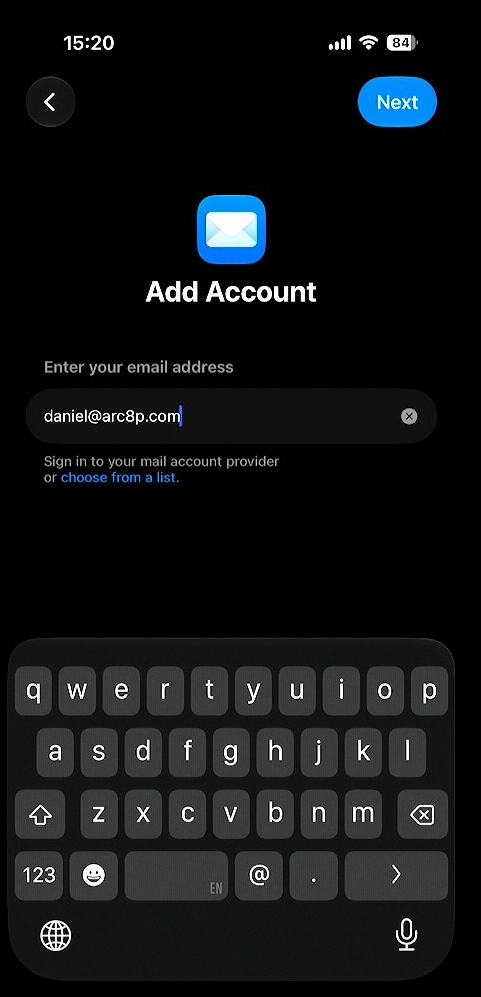
Fill in your ARC8 email then click Next.
6. Select Add Other Account

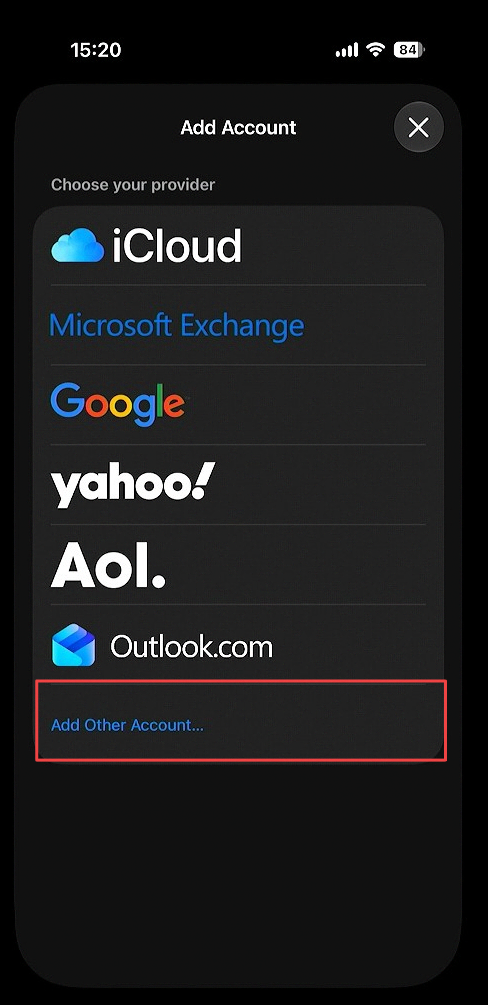
Click Add Other Account.
7. Select Mail Account

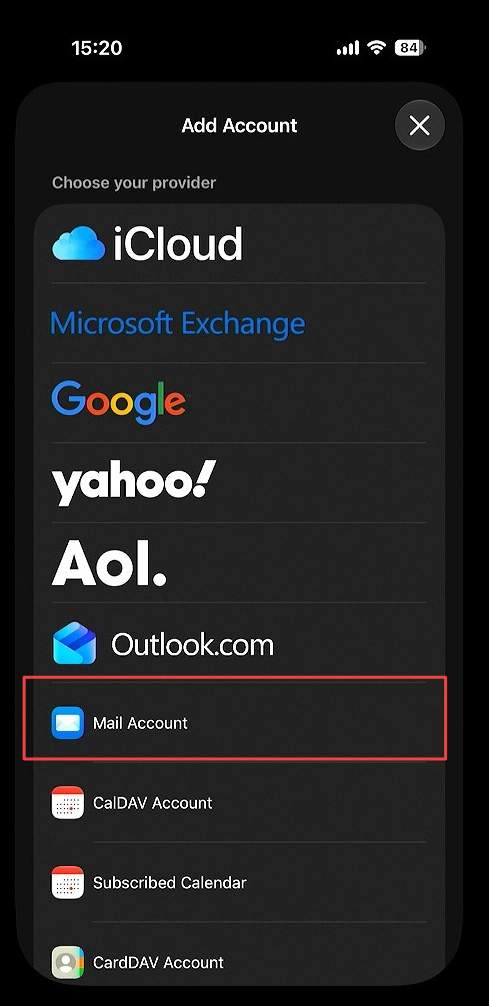
Select Mail Account.
8. Fill in IMAP settings

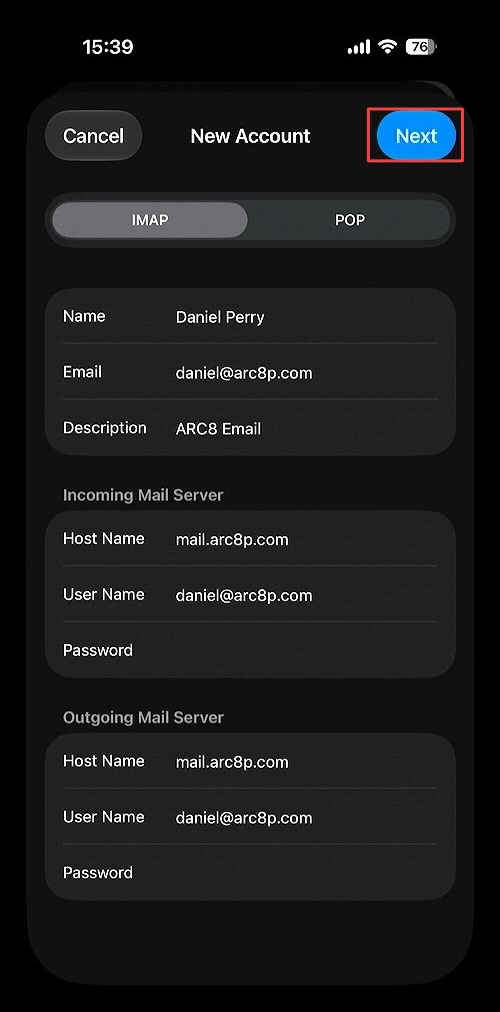
Enter all account information and click Next.
Set Host Name to mail.arc8p.com.
9. Save IMAP settings

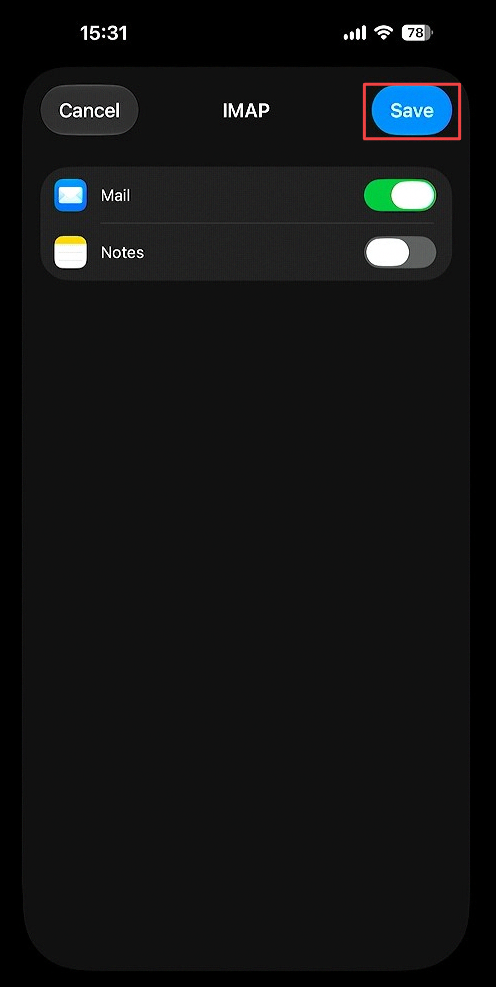
10. Select Mail

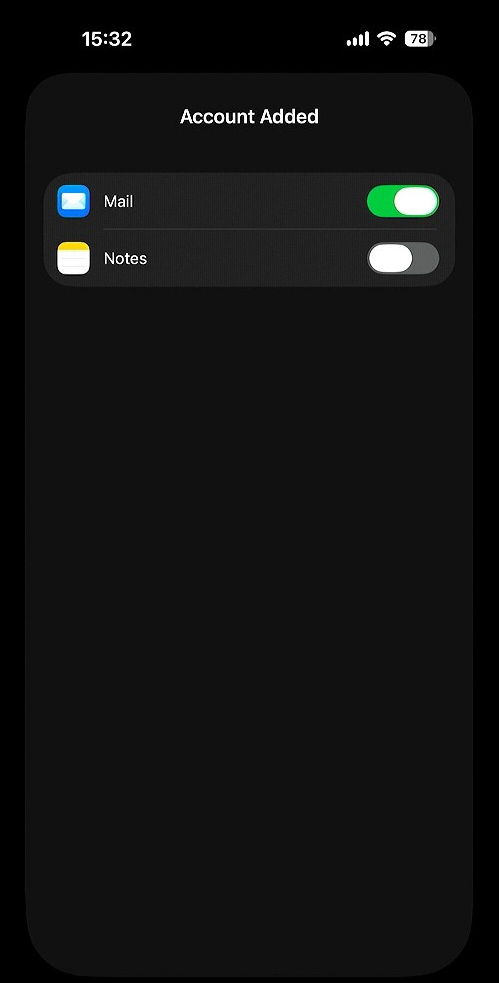
Select Mail to sync your ARC8 mail
Turning on Notes will only sync your iCloud Notes App with other iCloud devices also logged in on your ARC8 email
11. Email Appears in Mail App

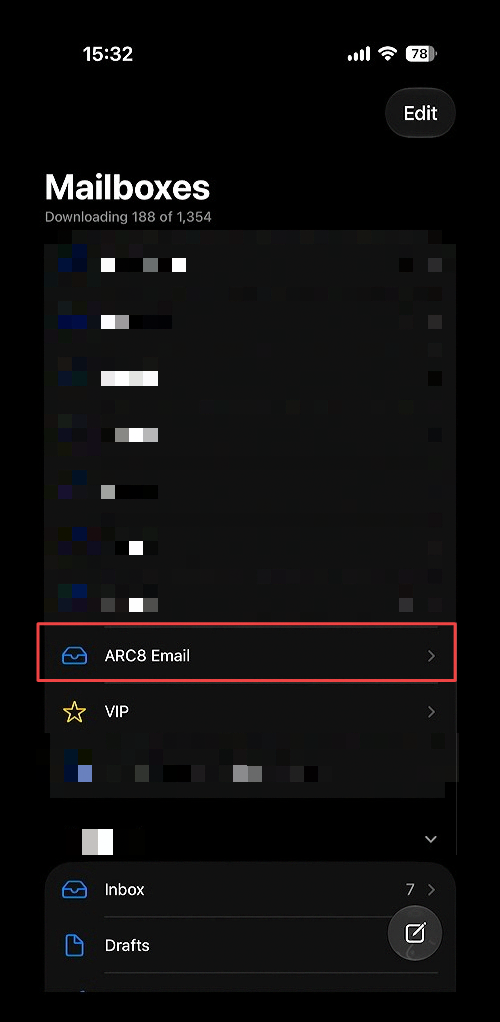
Ensure the email appears in the Mail App as another mailbox below your already configured mailboxes.