# ARC8 Email Setup On iOS
This is a tutorial to setup your ARC8 email with the native iCloud Mail app
## 1. Open Settings and select Apps
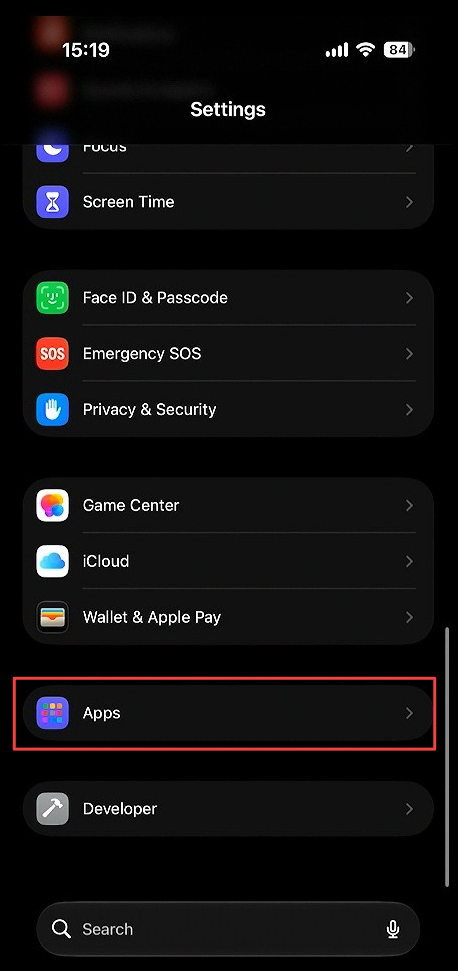 Open **Settings**. Scroll to the bottom and select **Apps**.
## 2. Select Mail
Open **Settings**. Scroll to the bottom and select **Apps**.
## 2. Select Mail
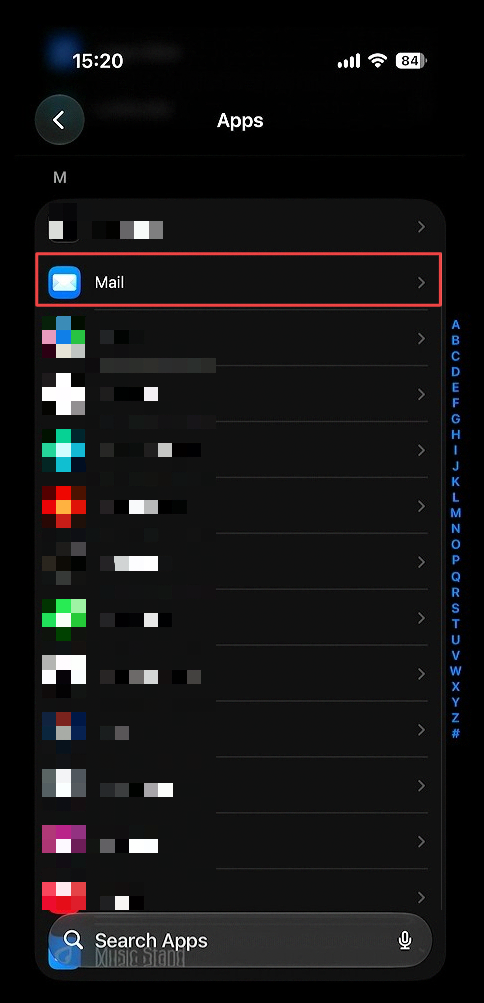 Scroll down and click **Mail**.
## 3. Selct Mail Accounts
Scroll down and click **Mail**.
## 3. Selct Mail Accounts
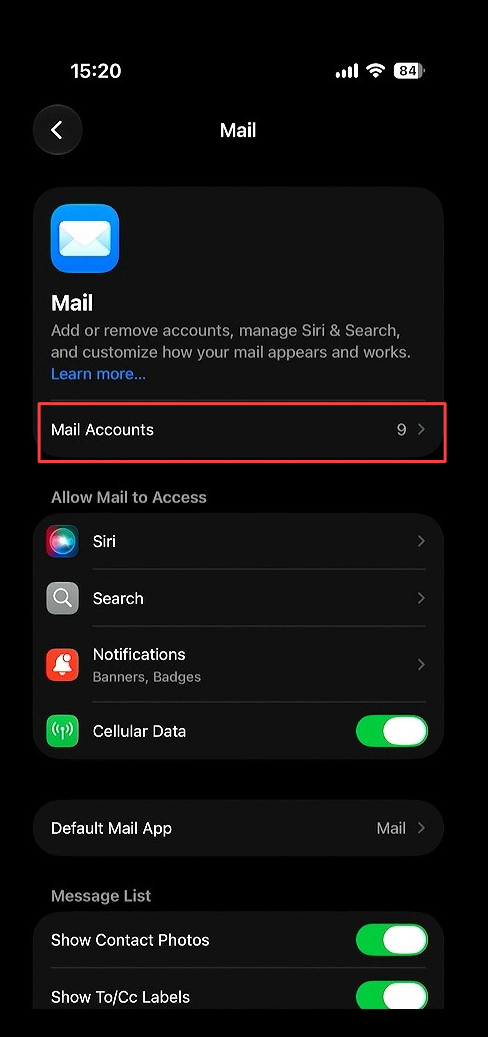 Select the **mail accounts** sub menu option
## 4. Select Add account
Select the **mail accounts** sub menu option
## 4. Select Add account
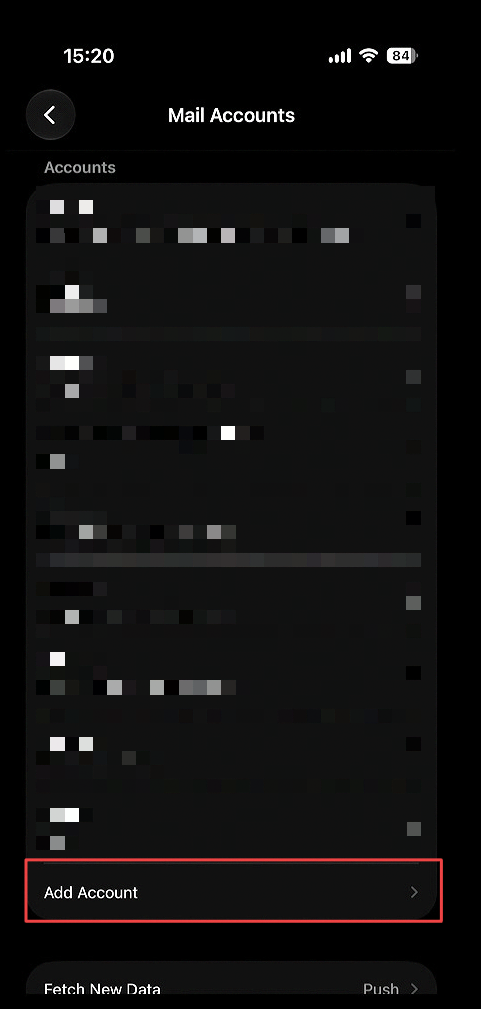 Below your already added accounts, select **Add Account**.
## 5. Enter in your ARC8 Email
Below your already added accounts, select **Add Account**.
## 5. Enter in your ARC8 Email
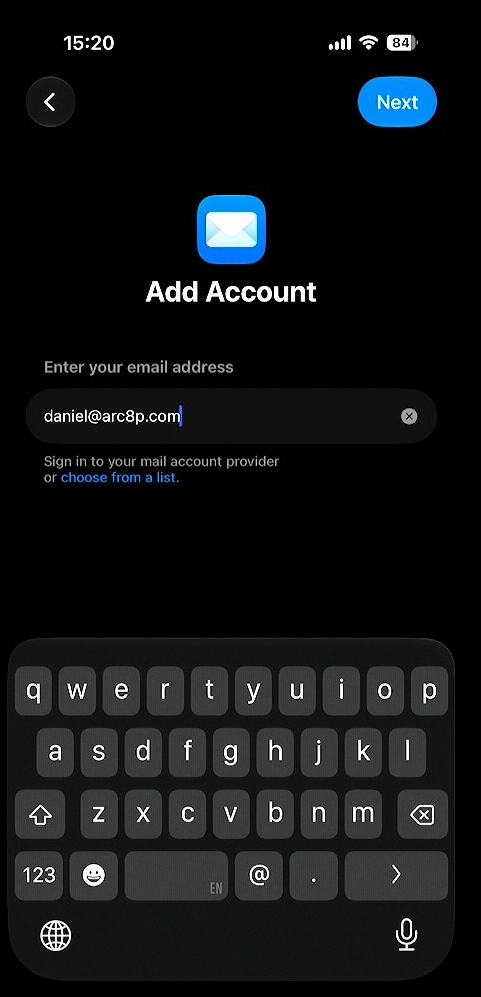 Fill in your ARC8 email then click **Next**.
## 6. Select Add Other Account
Fill in your ARC8 email then click **Next**.
## 6. Select Add Other Account
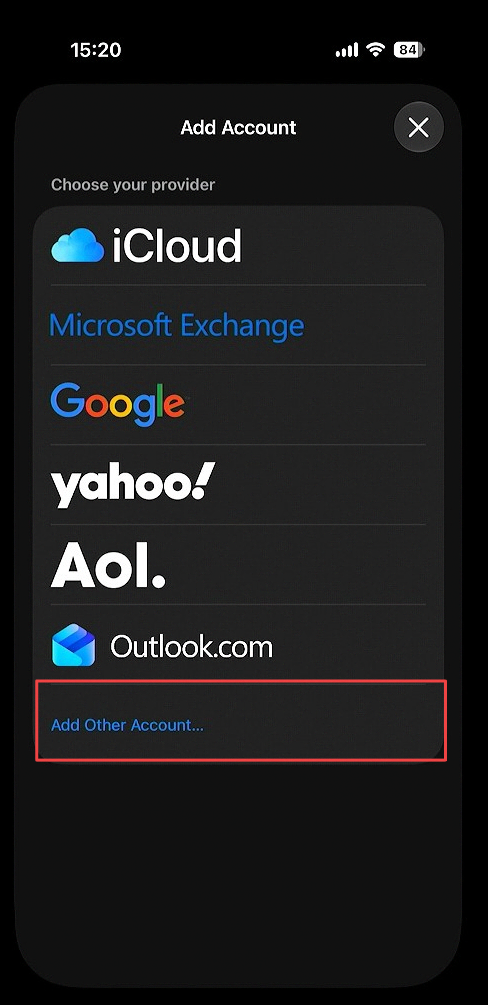 Click **Add Other Account**.
## 7. Select Mail Account
Click **Add Other Account**.
## 7. Select Mail Account
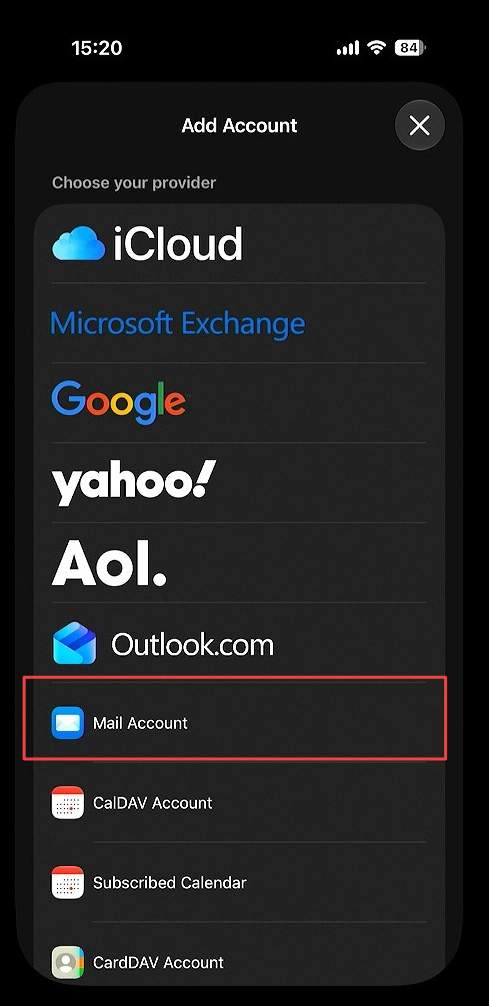 Select **Mail Account**.
## 8. Fill in IMAP settings
Select **Mail Account**.
## 8. Fill in IMAP settings
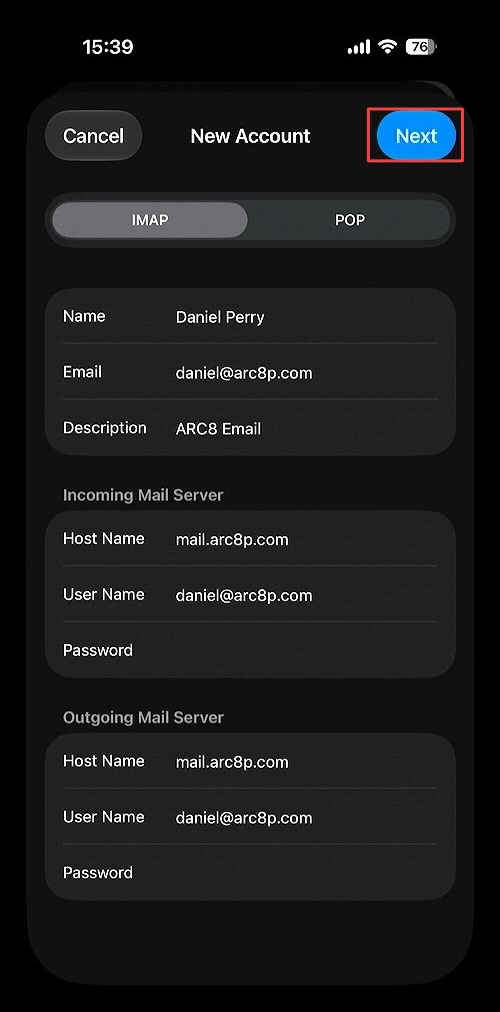 Enter all account information and click **Next**.
Set **Host Name** to mail.arc8p.com.
## 9. Save IMAP settings
Enter all account information and click **Next**.
Set **Host Name** to mail.arc8p.com.
## 9. Save IMAP settings
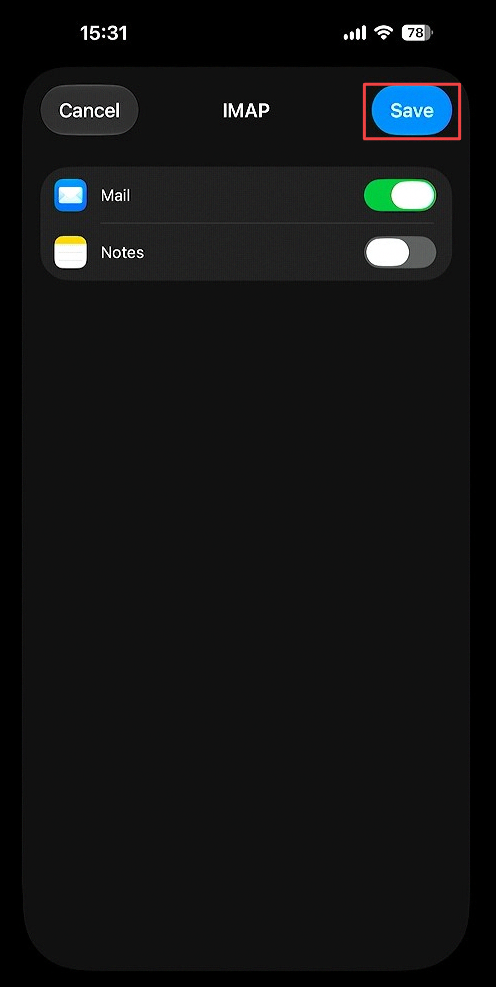 Click **Save** button at the top right corner of the screen
## 10. Select Mail
Click **Save** button at the top right corner of the screen
## 10. Select Mail
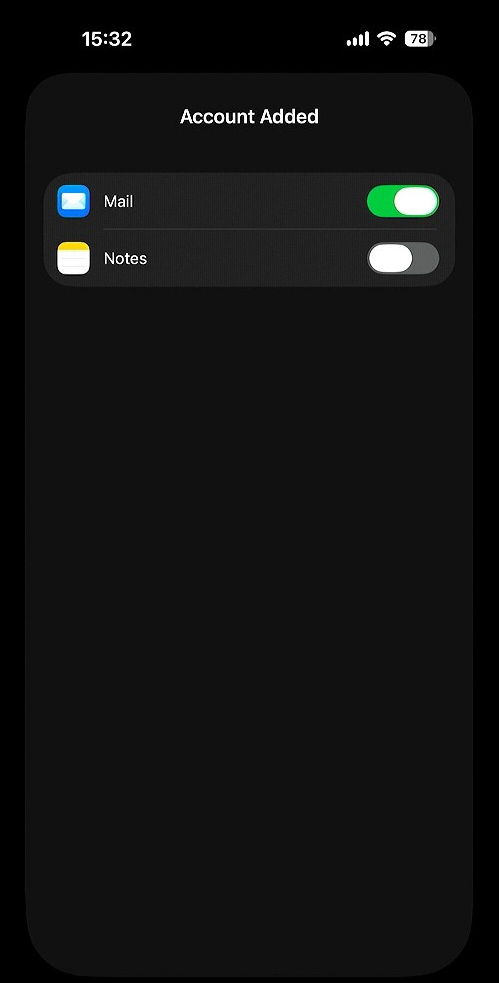 Select **Mail** to sync your ARC8 mail
Turning on Notes will only sync your iCloud Notes App with other iCloud devices also logged in on your ARC8 email
## 11. Email Appears in Mail App
Select **Mail** to sync your ARC8 mail
Turning on Notes will only sync your iCloud Notes App with other iCloud devices also logged in on your ARC8 email
## 11. Email Appears in Mail App
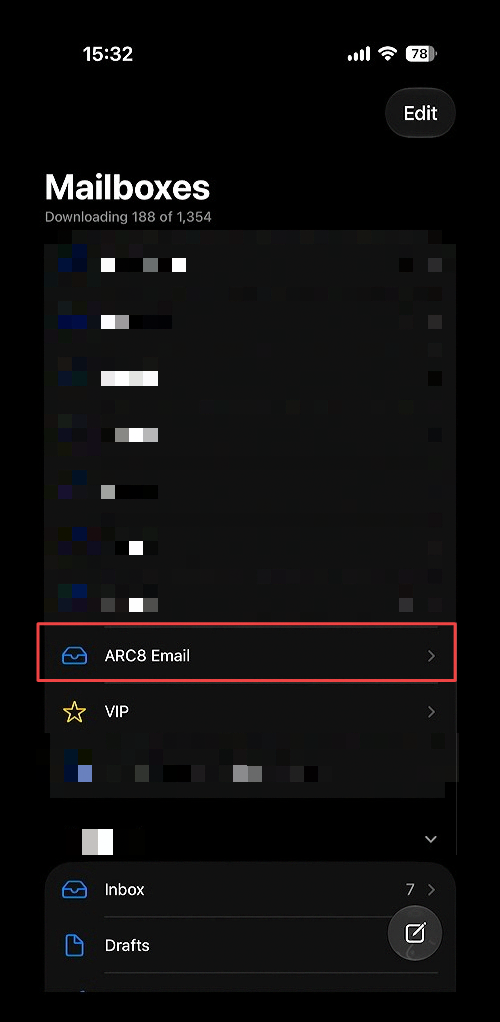 Ensure the email appears in the **Mail App** as another mailbox below your already configured mailboxes.